Choosing fidelity
Understand the difference between a wireframe, mockup, prototype, diagram, and plan.
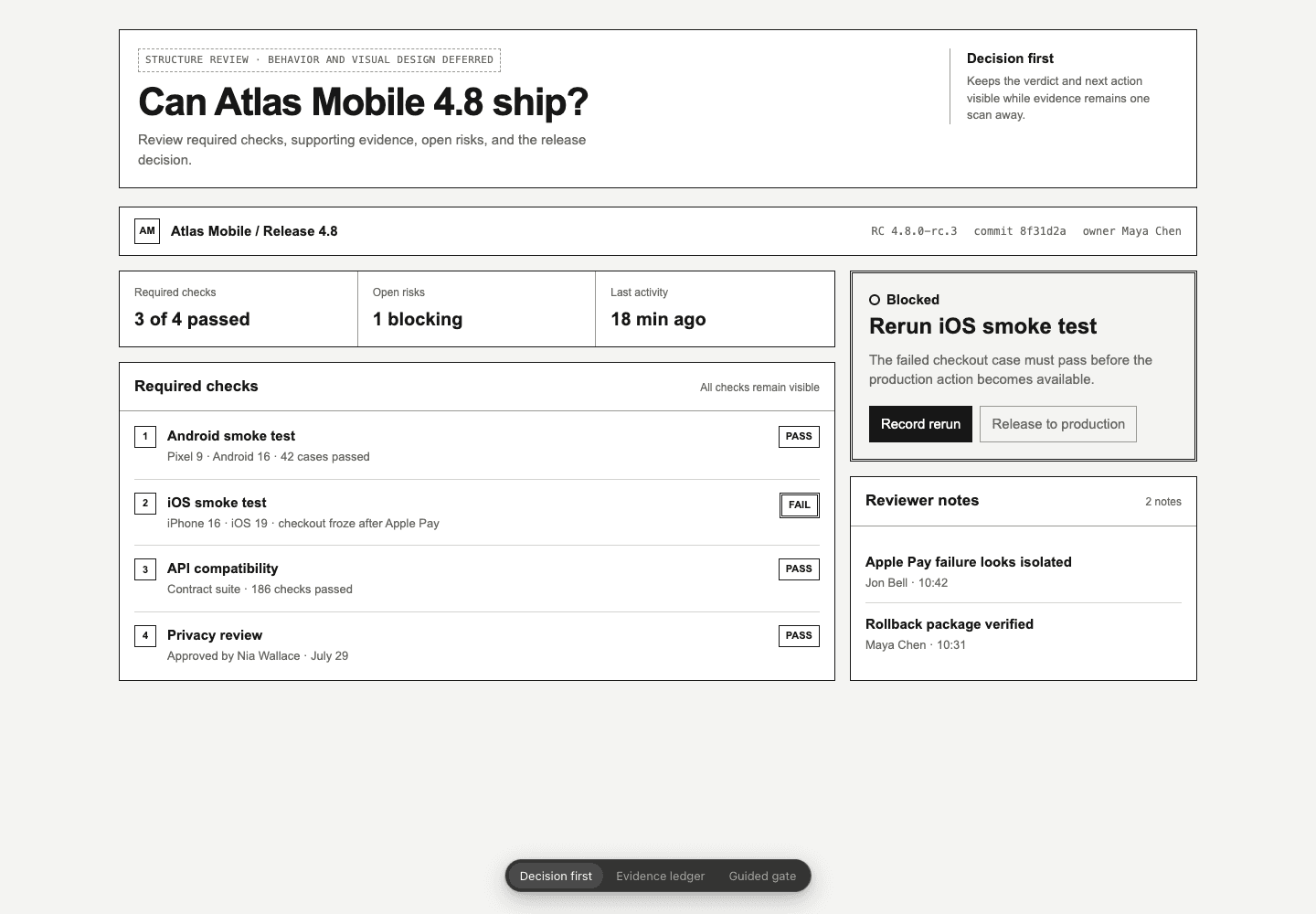
A wireframe, mockup, and prototype may show the same product at different levels of detail. Choose the one that shows what you need to discuss or try.
 Open artifact
Decide what belongs and where.
- Decision
- Hierarchy, navigation, grouping, density, and responsive order.
- Evidence
- A deliberately unfinished structure with realistic content.
- Stop when
- The layout can be judged without discussing finish.
Wireframe
A wireframe shows rough layout, hierarchy, navigation, and responsive structure. It is useful when the organization matters more than the visual finish.
Mockup
A mockup shows how the product could look. It can use the real design system, content, typography, color, and spacing without making every control work.
Prototype
A prototype lets people try a flow. It can show state changes, validation, loading, errors, success, keyboard behavior, and responsive interaction.
Diagram
A diagram shows how parts relate. Use one for architecture, sequence, state, hierarchy, ownership, or flow.
Plan
A plan lays out the work in order. Markdown is usually enough. HTML helps when the plan needs visual comparison, timelines, dependencies, or embedded examples.
WireframesSee how HTML wireframes can compare layouts and responsive structure.